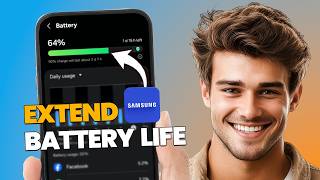
How to Extend Battery Life on Samsung Phone (Best Battery Saving Tips)
リアクション
2026年08月08日
Is your Samsung phone battery draining too fast? 🔋📱
In this beginner-friendly tutorial, I'll show you how to extend battery life on a Samsung phone using built-in settings and simple battery-saving tips. You'll learn how to reduce background activity, optimize power usage, and make your Samsung battery last longer throughout the day.
This guide works on Samsung Galaxy phones running One UI.
🧠 What You'll Learn:
Extend Samsung battery life
Reduce battery drain
Enable Power Saving Mode
Find apps using too much battery
Reduce background activity
Optimize Samsung battery settings
⚡ Quick Steps
✔ Open Settings ⚙️
✔ Go to Battery or Battery and device care 🔋
✔ Turn on Power saving
✔ Check Battery usage and identify apps draining your battery
✔ Restrict unnecessary Background usage
✔ Reduce Screen brightness and shorten the screen timeout
✔ Turn off Bluetooth, GPS, and Wi-Fi when you don't need them
✔ Keep your Samsung phone and apps updated ✅
💡 Bonus Tip
Use Adaptive Battery and put rarely used apps into Deep sleeping apps. These features can reduce background activity and help your Samsung phone maintain battery life for longer.
💡 Works on Samsung Galaxy phones & tablets (One UI) | Beginner-friendly | Updated for 2026
If this video helped, Like 👍 Subscribe 🔔 and Share for more Samsung tips, Android tutorials, battery-saving tricks, and tech guides!
#Samsung #SamsungGalaxy #BatteryLife #BatterySaving #Android #OneUI #SamsungTips #AndroidTips #TechTutorial #Samsung2026
In this beginner-friendly tutorial, I'll show you how to extend battery life on a Samsung phone using built-in settings and simple battery-saving tips. You'll learn how to reduce background activity, optimize power usage, and make your Samsung battery last longer throughout the day.
This guide works on Samsung Galaxy phones running One UI.
🧠 What You'll Learn:
Extend Samsung battery life
Reduce battery drain
Enable Power Saving Mode
Find apps using too much battery
Reduce background activity
Optimize Samsung battery settings
⚡ Quick Steps
✔ Open Settings ⚙️
✔ Go to Battery or Battery and device care 🔋
✔ Turn on Power saving
✔ Check Battery usage and identify apps draining your battery
✔ Restrict unnecessary Background usage
✔ Reduce Screen brightness and shorten the screen timeout
✔ Turn off Bluetooth, GPS, and Wi-Fi when you don't need them
✔ Keep your Samsung phone and apps updated ✅
💡 Bonus Tip
Use Adaptive Battery and put rarely used apps into Deep sleeping apps. These features can reduce background activity and help your Samsung phone maintain battery life for longer.
💡 Works on Samsung Galaxy phones & tablets (One UI) | Beginner-friendly | Updated for 2026
If this video helped, Like 👍 Subscribe 🔔 and Share for more Samsung tips, Android tutorials, battery-saving tricks, and tech guides!
#Samsung #SamsungGalaxy #BatteryLife #BatterySaving #Android #OneUI #SamsungTips #AndroidTips #TechTutorial #Samsung2026