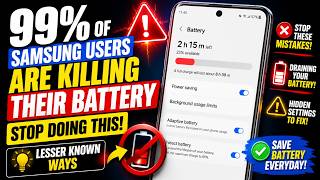
99% of Samsung Users Are Killing Their Battery — Stop Doing This! Lesser Known Ways
リアクション
2026年06月04日
99% of Samsung Users Are Killing Their Battery — Stop Doing This! Lesser Known Ways
Are you unknowingly damaging your Samsung phone's battery life every day? In this video, you'll discover lesser-known Samsung battery settings and habits that can dramatically improve battery health, extend screen-on time, and help your battery last longer for years.
Most Samsung users focus only on charging habits, but hidden settings, background processes, display features, and power management options can silently drain your battery and reduce its lifespan. Learn the battery-saving tricks that even experienced Samsung users often miss.
✅ Improve battery health
✅ Reduce unnecessary battery drain
✅ Increase screen-on time
✅ Make your Samsung battery last longer
✅ Hidden Samsung settings explained
✅ Works on Samsung Galaxy phones running One UI
Whether you use a Samsung Galaxy S24 Ultra, S25 Ultra, A-Series, Fold, Flip, or any recent Galaxy device, these tips can help you get better battery performance.
00:05 - Turn off 5G network
00:33 - Set the performance mode to light
00:52 - Turn off Always on Display
01:08 - Set the battery protection mode to Maximum
01:29 - Turn off Wi-Fi and Bluetooth scanning
01:54 - Stop app running in the background
⏱️ In This Video
Common battery-killing mistakes
Hidden Samsung battery protection features
Settings you should disable immediately
Lesser-known battery-saving tricks
How to improve long-term battery health
Samsung One UI battery optimization tips
Subscribe to my YouTube channel:https://www.youtube.com/channel/UCGo7rlM4rzPjRw7CA7kWjBQ
Watch some of our videos:
How to activate and show followers on Facebook profile using phone
https://studio.youtube.com/video/yqd21_E7egg/edit
iPhone apps keeps crashing frequently
https://studio.youtube.com/video/rS8L3movsDY/edit
How to download videos from Google drive
https://studio.youtube.com/video/pXs0gntMK_Q/edit
Play store not downloading apps
https://studio.youtube.com/video/aMKjUfY61tU/edit
🔥 Watch until the end because the last tip is one of the most overlooked battery-saving features available on Samsung phones.
#Samsung #SamsungBattery #BatteryLife #GalaxyS24Ultra #GalaxyS25Ultra #OneUI #SamsungTips #AndroidTips #BatteryHealth #SamsungSettings #GalaxyTips #TechTips #BatterySaving #SamsungGalaxy #AndroidHacks
Are you unknowingly damaging your Samsung phone's battery life every day? In this video, you'll discover lesser-known Samsung battery settings and habits that can dramatically improve battery health, extend screen-on time, and help your battery last longer for years.
Most Samsung users focus only on charging habits, but hidden settings, background processes, display features, and power management options can silently drain your battery and reduce its lifespan. Learn the battery-saving tricks that even experienced Samsung users often miss.
✅ Improve battery health
✅ Reduce unnecessary battery drain
✅ Increase screen-on time
✅ Make your Samsung battery last longer
✅ Hidden Samsung settings explained
✅ Works on Samsung Galaxy phones running One UI
Whether you use a Samsung Galaxy S24 Ultra, S25 Ultra, A-Series, Fold, Flip, or any recent Galaxy device, these tips can help you get better battery performance.
00:05 - Turn off 5G network
00:33 - Set the performance mode to light
00:52 - Turn off Always on Display
01:08 - Set the battery protection mode to Maximum
01:29 - Turn off Wi-Fi and Bluetooth scanning
01:54 - Stop app running in the background
⏱️ In This Video
Common battery-killing mistakes
Hidden Samsung battery protection features
Settings you should disable immediately
Lesser-known battery-saving tricks
How to improve long-term battery health
Samsung One UI battery optimization tips
Subscribe to my YouTube channel:https://www.youtube.com/channel/UCGo7rlM4rzPjRw7CA7kWjBQ
Watch some of our videos:
How to activate and show followers on Facebook profile using phone
https://studio.youtube.com/video/yqd21_E7egg/edit
iPhone apps keeps crashing frequently
https://studio.youtube.com/video/rS8L3movsDY/edit
How to download videos from Google drive
https://studio.youtube.com/video/pXs0gntMK_Q/edit
Play store not downloading apps
https://studio.youtube.com/video/aMKjUfY61tU/edit
🔥 Watch until the end because the last tip is one of the most overlooked battery-saving features available on Samsung phones.
#Samsung #SamsungBattery #BatteryLife #GalaxyS24Ultra #GalaxyS25Ultra #OneUI #SamsungTips #AndroidTips #BatteryHealth #SamsungSettings #GalaxyTips #TechTips #BatterySaving #SamsungGalaxy #AndroidHacks