How I Stopped Wasting Money on 3D Renders (FREE Blender Hack)
リアクション
2026年06月24日
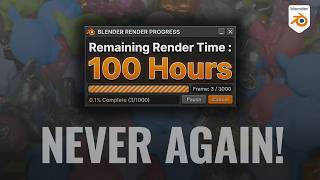
Render times can completely kill your profit margins as a freelance 3D artist. If you are working on a mid-range setup like an RTX 3070 and a client drops a 500-frame, 1440p motion graphics project on your desk with a tight deadline, traditional local rendering is a nightmare. In this video, we cover how to turn a 100-hour, 4-day local render into a 12-hour turnaround using a completely free, open-source crowdsourced render farm called SheepIt.
I walk through the exact pipeline required to use the platform effectively, including the crucial step of automatically packing your external image textures and assets into your Blender file so nothing breaks on the farm. We also look at how the priority points system works and how to use Blender's free built-in video sequence editor as an alternative to expensive subscription software to compile your final image sequence.
Links Mentioned In The Video
Download the free Imperfections Pack:
https://designersoup.gumroad.com/
https://designersoup.itch.io/
patreon.com/cw/designersoup
Join the community on Discord: https://www.patreon.com/c/designersoup
Check out SheepIt Render Farm: https://www.sheepit-renderfarm.com/home
Timestamps
00:00 The freelance rendering problem
00:45 What is a crowdsourced render farm?
01:15 Project breakdown and local render benchmark
02:30 Crucial Blender setup: Packing your external data
03:40 Navigating the SheepIt dashboard and uploading
04:50 Setting up the client application to earn priority points
06:15 Monitoring your render frames live
07:30 Final project time results and downloading the sequence
08:20 Compiling image sequences for free inside Blender
09:40 Final export settings and wrap up If you found this breakdown useful, consider dropping a comment below with what project you are currently working on. If you run into any technical snags with your setup, jump into the Discord server to get a second set of eyes on it.
I walk through the exact pipeline required to use the platform effectively, including the crucial step of automatically packing your external image textures and assets into your Blender file so nothing breaks on the farm. We also look at how the priority points system works and how to use Blender's free built-in video sequence editor as an alternative to expensive subscription software to compile your final image sequence.
Links Mentioned In The Video
Download the free Imperfections Pack:
https://designersoup.gumroad.com/
https://designersoup.itch.io/
patreon.com/cw/designersoup
Join the community on Discord: https://www.patreon.com/c/designersoup
Check out SheepIt Render Farm: https://www.sheepit-renderfarm.com/home
Timestamps
00:00 The freelance rendering problem
00:45 What is a crowdsourced render farm?
01:15 Project breakdown and local render benchmark
02:30 Crucial Blender setup: Packing your external data
03:40 Navigating the SheepIt dashboard and uploading
04:50 Setting up the client application to earn priority points
06:15 Monitoring your render frames live
07:30 Final project time results and downloading the sequence
08:20 Compiling image sequences for free inside Blender
09:40 Final export settings and wrap up If you found this breakdown useful, consider dropping a comment below with what project you are currently working on. If you run into any technical snags with your setup, jump into the Discord server to get a second set of eyes on it.