Complete Beginner’s Guide To Laser Engraving! | Creality Falcon A1 First Projects
リアクション
2026年05月08日
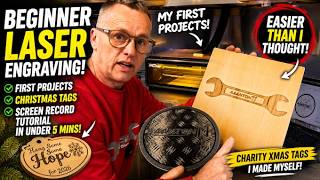
Laser engraving always looked complicated… but after finally getting hands-on with the Creality Falcon A1, I decided to see if a COMPLETE beginner could actually create professional looking projects at home!
In this video I show how I designed and made:
✅ Custom “Hang Some Hope For 2026” Christmas charity decorations
✅ My AAANTON11 acrylic logo placemat
✅ Engraved wooden spanner logo
✅ The basic workflow for beginners
✅ Layer setup, cutting & engraving
✅ A quick screen recorded design tutorial in under 5 minutes
The original charity decorations were professionally made last year, but this time I wanted to learn how to create them myself — making them more original and fully custom.
This is my very first proper experience using a laser engraver, so if you're thinking about getting into laser engraving, acrylic cutting, wood engraving or small business projects, hopefully this helps!
There’s still loads more to come too including:
Rotary attachment projects
More acrylic work
Workshop signs
Custom creations
Production runs
🛠️Link to Tools
Creality Falcon A1 £462 https://tidd.ly/4ezhQa1
Creality Falcon Rotary Kit £145 https://tidd.ly/4ti2XfV
Products Used In This Video:
3mm plywood https://tidd.ly/3R7mAdd
Acrylic sheets x10 https://tidd.ly/4wnNKgj
Creality Falcon A1
Laser engraving materials https://tidd.ly/4wfDx5t
#LaserEngraving #CrealityFalconA1 #LaserCutter #DIYProjects #BeginnerLaser #AcrylicEngraving #WoodEngraving #Maker #DIYWorkshop #ChristmasDecorations
In this video I show how I designed and made:
✅ Custom “Hang Some Hope For 2026” Christmas charity decorations
✅ My AAANTON11 acrylic logo placemat
✅ Engraved wooden spanner logo
✅ The basic workflow for beginners
✅ Layer setup, cutting & engraving
✅ A quick screen recorded design tutorial in under 5 minutes
The original charity decorations were professionally made last year, but this time I wanted to learn how to create them myself — making them more original and fully custom.
This is my very first proper experience using a laser engraver, so if you're thinking about getting into laser engraving, acrylic cutting, wood engraving or small business projects, hopefully this helps!
There’s still loads more to come too including:
Rotary attachment projects
More acrylic work
Workshop signs
Custom creations
Production runs
🛠️Link to Tools
Creality Falcon A1 £462 https://tidd.ly/4ezhQa1
Creality Falcon Rotary Kit £145 https://tidd.ly/4ti2XfV
Products Used In This Video:
3mm plywood https://tidd.ly/3R7mAdd
Acrylic sheets x10 https://tidd.ly/4wnNKgj
Creality Falcon A1
Laser engraving materials https://tidd.ly/4wfDx5t
#LaserEngraving #CrealityFalconA1 #LaserCutter #DIYProjects #BeginnerLaser #AcrylicEngraving #WoodEngraving #Maker #DIYWorkshop #ChristmasDecorations

![♰ #歌枠¦ギターの弾き語りをきいてください!✦sing with the guitar[ #vtuber ]](https://img.youtube.com/vi/KtJWIQ6wm_g/mqdefault.jpg)