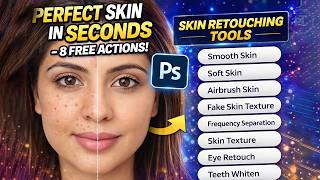
Perfect Skin in Seconds – 8 FREE Photoshop Actions!
リアクション
2026年03月30日
✨ **Want PERFECT skin in just seconds? No complicated editing, no stress!**
In this video, I’m sharing **8 FREE Photoshop Actions** that will completely transform your skin retouching workflow—whether you're a beginner or a pro.
🎯 **What You’ll Learn:**
Discover how to achieve **flawless, natural-looking skin** with just one click. These powerful actions are designed to:
* Smooth skin without losing texture
* Enhance natural skin tones
* Remove blemishes and imperfections
* Improve overall portrait quality instantly
* Save hours of manual retouching work
💡 Whether you're editing portraits, client work, or social media photos, these actions make professional-level results **fast, easy, and consistent**.
🚀 **Why You’ll Love These Actions:**
* 100% FREE to download
* Beginner-friendly (no advanced skills needed)
* Works in just a few clicks
* Perfect for photographers, designers & content creators
* Perfect Skin in Seconds – 8 FREE Photoshop Actions!
📥 **Download the FREE Actions & Try Them Yourself!**
https://www.mediafire.com/file/yx4jb9wx8h5he3r/8-Skin-Retouching-Action-Pack.zip/file
Don’t miss out—start creating stunning, flawless skin edits today and level up your Photoshop skills instantly.
👇 **If you found this helpful:**
👍 Like the video
💬 Comment your favorite action
🔔 Subscribe for more powerful Photoshop tutorials
✨ **Watch till the end and see the magic happen!**
--------------------------------------------------------------------------------
0:00 PS Tutelar
0:01 Discover 8 effective Photoshop actions for skin retouching.
1:08 Enhance skin softness using Photoshop actions effectively.
2:00 Adjust skin effects for natural texture in Photoshop.
2:53 Techniques for achieving soft skin using Photoshop actions.
3:38 Enhancing skin contrast and facial features with Photoshop actions.
4:27 Enhancing teeth and skin with careful opacity adjustments.
5:17 Focus on image details for flawless skin editing.
6:08 Achieve a natural look with free Photoshop actions.
In this video, I’m sharing **8 FREE Photoshop Actions** that will completely transform your skin retouching workflow—whether you're a beginner or a pro.
🎯 **What You’ll Learn:**
Discover how to achieve **flawless, natural-looking skin** with just one click. These powerful actions are designed to:
* Smooth skin without losing texture
* Enhance natural skin tones
* Remove blemishes and imperfections
* Improve overall portrait quality instantly
* Save hours of manual retouching work
💡 Whether you're editing portraits, client work, or social media photos, these actions make professional-level results **fast, easy, and consistent**.
🚀 **Why You’ll Love These Actions:**
* 100% FREE to download
* Beginner-friendly (no advanced skills needed)
* Works in just a few clicks
* Perfect for photographers, designers & content creators
* Perfect Skin in Seconds – 8 FREE Photoshop Actions!
📥 **Download the FREE Actions & Try Them Yourself!**
https://www.mediafire.com/file/yx4jb9wx8h5he3r/8-Skin-Retouching-Action-Pack.zip/file
Don’t miss out—start creating stunning, flawless skin edits today and level up your Photoshop skills instantly.
👇 **If you found this helpful:**
👍 Like the video
💬 Comment your favorite action
🔔 Subscribe for more powerful Photoshop tutorials
✨ **Watch till the end and see the magic happen!**
--------------------------------------------------------------------------------
0:00 PS Tutelar
0:01 Discover 8 effective Photoshop actions for skin retouching.
1:08 Enhance skin softness using Photoshop actions effectively.
2:00 Adjust skin effects for natural texture in Photoshop.
2:53 Techniques for achieving soft skin using Photoshop actions.
3:38 Enhancing skin contrast and facial features with Photoshop actions.
4:27 Enhancing teeth and skin with careful opacity adjustments.
5:17 Focus on image details for flawless skin editing.
6:08 Achieve a natural look with free Photoshop actions.