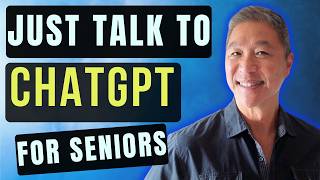
3 Ways Seniors Use ChatGPT Without Typing a Single Word
リアクション
2026年06月13日
Getting Started with ChatGPT Explained in Plain English
Download it here:
https://tinyurl.com/SmartTechV34
Ever open ChatGPT and stare at the blank box because you have no idea what to type?
You are not alone.
In this video, I show 3 simple ways seniors, retirees, beginners, and older adults can use ChatGPT without typing a single word. Instead of worrying about prompts, spelling, or finding the perfect question, you can simply click the microphone and say what is on your mind.
You’ll see real examples of how I use ChatGPT voice input to help with everyday situations that many older adults face.
In this video you’ll learn how to:
• Use ChatGPT by speaking naturally instead of typing
• Ask follow-up prompts that produce much better answers
• Find the right words when supporting a friend through grief
• Think through major life changes and build a new routine
• Prepare for difficult family conversations before they happen
• Use AI as a thinking partner instead of just a search tool
One of the biggest reasons people struggle with ChatGPT is not because the technology is difficult. It is because they do not know what to type. Voice input changes everything.
Whether you are brand new to AI or already using ChatGPT occasionally, this tutorial will show you a simple, practical way to make artificial intelligence feel more natural and useful in everyday life.
Keywords:
ChatGPT for seniors, AI for seniors, ChatGPT tutorial, ChatGPT voice, voice input, ChatGPT prompts, AI for older adults, ChatGPT beginner guide, artificial intelligence, ChatGPT voice mode, seniors and AI, retirees and technology, everyday AI, ChatGPT examples, ChatGPT tips, beginner AI tutorial, technology for seniors, AI assistant, ChatGPT voice tutorial, simple ChatGPT prompts.
Download it here:
https://tinyurl.com/SmartTechV34
Ever open ChatGPT and stare at the blank box because you have no idea what to type?
You are not alone.
In this video, I show 3 simple ways seniors, retirees, beginners, and older adults can use ChatGPT without typing a single word. Instead of worrying about prompts, spelling, or finding the perfect question, you can simply click the microphone and say what is on your mind.
You’ll see real examples of how I use ChatGPT voice input to help with everyday situations that many older adults face.
In this video you’ll learn how to:
• Use ChatGPT by speaking naturally instead of typing
• Ask follow-up prompts that produce much better answers
• Find the right words when supporting a friend through grief
• Think through major life changes and build a new routine
• Prepare for difficult family conversations before they happen
• Use AI as a thinking partner instead of just a search tool
One of the biggest reasons people struggle with ChatGPT is not because the technology is difficult. It is because they do not know what to type. Voice input changes everything.
Whether you are brand new to AI or already using ChatGPT occasionally, this tutorial will show you a simple, practical way to make artificial intelligence feel more natural and useful in everyday life.
Keywords:
ChatGPT for seniors, AI for seniors, ChatGPT tutorial, ChatGPT voice, voice input, ChatGPT prompts, AI for older adults, ChatGPT beginner guide, artificial intelligence, ChatGPT voice mode, seniors and AI, retirees and technology, everyday AI, ChatGPT examples, ChatGPT tips, beginner AI tutorial, technology for seniors, AI assistant, ChatGPT voice tutorial, simple ChatGPT prompts.