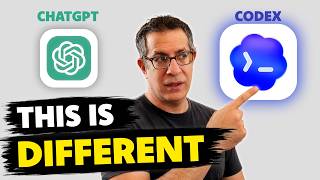
OpenAI Codex vs ChatGPT Projects
リアクション
2026年05月13日
I’ve been testing OpenAI Codex against regular ChatGPT Projects, and this feels like one of the first times ChatGPT starts behaving more like a real working environment connected to your actual files and folders.
In this video I show how I connected Codex to my marketing vault, created reusable AI skills, organized content structures, and started using AI in a way that feels closer to working inside a real project instead of another temporary or long chat.
You’ll see how:
• To install and set up Codex
• Folder and file organization
• Create reusable AI skills
• Working directly with project files
• Structuring ongoing AI work instead of using isolated prompts
I also compare Codex to ChatGPT Projects and talk through where it already feels better, where it still struggles, and why this could become a much bigger shift for creative professionals and content creators.
Referenced videos:
➡️ 3 ChatGPT projects I Use the Most for Work: https://www.youtube.com/watch?v=ZsdGIfYYoSM&pp=0gcJCQMLAYcqIYzv
➡️ 5-Step Workflow the Saves Designers Hours Every Week: https://www.youtube.com/watch?v=I8bAnmT0N-k
If you're trying to move beyond random prompting and build AI into real ongoing work, this video should give you a clearer picture of where things are heading.
👍 + 🔔 Subscribe for practical AI workflows and real creative business use cases.
Thanks for watching :)
Contact:
🌐 https://www.goor-ai.com
🔗 https://www.linkedin.com/in/goor-moshe-30143b78/
👍 https://www.facebook.com/profile.php?id=6156090557443
📸 https://www.instagram.com/goormoshe/
00:00 Intro
00:30 Installing Codex
00:58 Quick Setup of Codex
03:06 Setting up a Project & Skill
07:30 Adjusting and Working with Skills
10:37 Concluding on why I'll be using Codex more
11:06 Outro
In this video I show how I connected Codex to my marketing vault, created reusable AI skills, organized content structures, and started using AI in a way that feels closer to working inside a real project instead of another temporary or long chat.
You’ll see how:
• To install and set up Codex
• Folder and file organization
• Create reusable AI skills
• Working directly with project files
• Structuring ongoing AI work instead of using isolated prompts
I also compare Codex to ChatGPT Projects and talk through where it already feels better, where it still struggles, and why this could become a much bigger shift for creative professionals and content creators.
Referenced videos:
➡️ 3 ChatGPT projects I Use the Most for Work: https://www.youtube.com/watch?v=ZsdGIfYYoSM&pp=0gcJCQMLAYcqIYzv
➡️ 5-Step Workflow the Saves Designers Hours Every Week: https://www.youtube.com/watch?v=I8bAnmT0N-k
If you're trying to move beyond random prompting and build AI into real ongoing work, this video should give you a clearer picture of where things are heading.
👍 + 🔔 Subscribe for practical AI workflows and real creative business use cases.
Thanks for watching :)
Contact:
🌐 https://www.goor-ai.com
🔗 https://www.linkedin.com/in/goor-moshe-30143b78/
👍 https://www.facebook.com/profile.php?id=6156090557443
📸 https://www.instagram.com/goormoshe/
00:00 Intro
00:30 Installing Codex
00:58 Quick Setup of Codex
03:06 Setting up a Project & Skill
07:30 Adjusting and Working with Skills
10:37 Concluding on why I'll be using Codex more
11:06 Outro