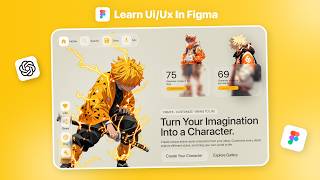
I Designed a UI From a Blank Page Using Figma + ChatGPT
リアクション
2026年09月12日
How do you create a UI design when you start with nothing but a blank Figma page?
In this video, I’m creating a complete UI design from scratch and showing you my actual design process — from a blank canvas to the final UI.
I’ll show you how I find and analyze inspiration, generate ideas, make design decisions, and turn those ideas into my own UI design.
But there’s one more thing I’m using in this process — ChatGPT.
I’ll show you how you can use ChatGPT as a creative assistant during UI/UX design, including how it can help you explore ideas, generate directions, improve your thinking, and make the design process easier.
This isn’t about simply asking AI to create a design for you. It’s about learning how to combine your own creativity and design skills with AI tools like ChatGPT.
If you’re a beginner UI/UX designer or someone who struggles when staring at a blank Figma canvas, this video will help you understand how to start and build a complete design step by step.
Tools used:
• Figma
• ChatGPT
Subscribe to Dsingr for more UI/UX design, Figma tutorials, AI tools, design inspiration and practical design processes.
📂Figma File: https://www.figma.com/@dsingr
🤐Source File: https://drive.google.com/file/d/1Ypp_a3Rh2vaYngNfBodiyPAvP5IdmO46/view?usp=sharing
Cover Topic:
ui design,ui ux design,figma tutorial,figma ui design,ui design from scratch,ui design with chatgpt,chatgpt for ui design,chatgpt ui ux,chatgpt for designers,ai for ui ux designers,ai ui design,create ui design with chatgpt,how to use chatgpt for ui design,figma and chatgpt,blank page ui design,blank canvas ui design,website ui design,web design tutorial,ui design process,ui ux design process,how to design ui from scratch,ui design inspiration
#figma #ui #ux
In this video, I’m creating a complete UI design from scratch and showing you my actual design process — from a blank canvas to the final UI.
I’ll show you how I find and analyze inspiration, generate ideas, make design decisions, and turn those ideas into my own UI design.
But there’s one more thing I’m using in this process — ChatGPT.
I’ll show you how you can use ChatGPT as a creative assistant during UI/UX design, including how it can help you explore ideas, generate directions, improve your thinking, and make the design process easier.
This isn’t about simply asking AI to create a design for you. It’s about learning how to combine your own creativity and design skills with AI tools like ChatGPT.
If you’re a beginner UI/UX designer or someone who struggles when staring at a blank Figma canvas, this video will help you understand how to start and build a complete design step by step.
Tools used:
• Figma
• ChatGPT
Subscribe to Dsingr for more UI/UX design, Figma tutorials, AI tools, design inspiration and practical design processes.
📂Figma File: https://www.figma.com/@dsingr
🤐Source File: https://drive.google.com/file/d/1Ypp_a3Rh2vaYngNfBodiyPAvP5IdmO46/view?usp=sharing
Cover Topic:
ui design,ui ux design,figma tutorial,figma ui design,ui design from scratch,ui design with chatgpt,chatgpt for ui design,chatgpt ui ux,chatgpt for designers,ai for ui ux designers,ai ui design,create ui design with chatgpt,how to use chatgpt for ui design,figma and chatgpt,blank page ui design,blank canvas ui design,website ui design,web design tutorial,ui design process,ui ux design process,how to design ui from scratch,ui design inspiration
#figma #ui #ux