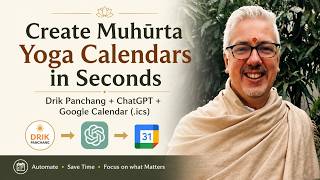
Tracking Vedic Astrology Muhurta Yogas from Drik Panchang in your Google Calendar (ChatGPT Workflow)
リアクション
2026年06月26日
Have you ever wished you could import Drik Panchang's Muhūrta yogas directly into Google Calendar?
In this video, I demonstrate how I use ChatGPT to convert **Drik Panchang screenshots** into a fully functional **Google Calendar (.ics) file** in just a few seconds.
The workflow automatically:
* Extracts all Yoga periods from a screenshot
* Detects the correct location and timezone
* Merges continuous Yoga windows into a single period
* Creates Google Calendar banner events (all-day overlays)
* Preserves the exact Muhūrta start and end times from Drik Panchang
* Outputs a ready-to-import .ics calendar
This has become one of my favorite ways to build Muhūrta overlay calendars for research, teaching, and day-to-day electional astrology.
Here is the prompt script to use. Please replace “Tripushkara” mentions with “Ravi” or whatever yoga you wish to track.
### Prompt Used
========================
“I will provide a screenshot from Drik Panchang showing Tripushkara periods for a particular year. Please: 1. Read the data from the screenshot Extract: Location Month and year All Yoga periods shown 2. Determine the correct timezone Use the location shown in the screenshot to determine the proper IANA timezone. Examples: Mississauga, Canada → America/Toronto London, UK → Europe/London Sydney, Australia → Australia/Sydney Kolkata, India → Asia/Kolkata Do not assume America/Toronto unless that is the actual location shown. 3. Merge continuous windows If one Yoga period ends exactly when the next begins, merge them into one continuous window. Example: Apr 24 10:44 AM → Apr 25 6:20 AM Apr 25 6:20 AM → Apr 26 6:18 AM Apr 26 6:18 AM → Apr 26 10:57 AM becomes: Apr 24 10:44 AM → Apr 26 10:57 AM Do not merge if there is any gap. 4. Create Google Calendar banner events These events are intended to function as a Muhūrta overlay calendar. Requirements: Use all-day events (VALUE=DATE) so they appear at the top of Google Calendar. Do not create timed block events. Include the exact start and end times in the title. Include the same information in the description. Use the timezone corresponding to the location shown. Preserve the exact times given by Drik Panchang. Use 12-hour AM/PM notation. Example title: Yoga Apr 24 10:44 AM to Apr 26 10:57 AM 5. Output First Show the merged Yoga windows for verification. Second Provide the complete .ics file enclosed in a code block. Use this template: BEGIN:VCALENDAR VERSION:2.0 PRODID:-//Tripushkarak Yoga Calendar//EN CALSCALE:GREGORIAN BEGIN:VTIMEZONE TZID:[IANA timezone] ... END:VTIMEZONE BEGIN:VEVENT SUMMARY:Tripushkara Yoga [start] to [end] DTSTART;VALUE=DATE:[start date] DTEND;VALUE=DATE:[day after end date] DESCRIPTION:[same start and end times] END:VEVENT END:VCALENDAR Important Merge only truly continuous windows. Do not infer or extrapolate dates not shown in the screenshot. Preserve the exact times given by Drik Panchang. These events are intended for practical Muhūrta use and should appear as banner entries at the top of Google Calendar.”
====================
The prompt instructs ChatGPT to:
✔ Read the screenshot
✔ Extract all Yoga periods
✔ Determine the proper IANA timezone from the location shown
✔ Merge only truly continuous periods
✔ Generate Google Calendar banner events with the exact Muhūrta times preserved in the event title and description
✔ Export a standards-compliant .ics calendar ready for import
It's a surprisingly powerful workflow that saves a tremendous amount of manual data entry.
If you're a student or practitioner of Jyotiṣa, Muhūrta, or Vedic astrology, I hope this helps streamline your own calendar creation.
If you found this useful, please like the video, subscribe, and let me know in the comments what other Jyotiṣa or AI workflows you'd like to see demonstrated.
#Jyotish #Muhurta #VedicAstrology #ChatGPT #ArtificialIntelligence #GoogleCalendar #DrikPanchang #ElectionalAstrology #HinduCalendar #Productivity
In this video, I demonstrate how I use ChatGPT to convert **Drik Panchang screenshots** into a fully functional **Google Calendar (.ics) file** in just a few seconds.
The workflow automatically:
* Extracts all Yoga periods from a screenshot
* Detects the correct location and timezone
* Merges continuous Yoga windows into a single period
* Creates Google Calendar banner events (all-day overlays)
* Preserves the exact Muhūrta start and end times from Drik Panchang
* Outputs a ready-to-import .ics calendar
This has become one of my favorite ways to build Muhūrta overlay calendars for research, teaching, and day-to-day electional astrology.
Here is the prompt script to use. Please replace “Tripushkara” mentions with “Ravi” or whatever yoga you wish to track.
### Prompt Used
========================
“I will provide a screenshot from Drik Panchang showing Tripushkara periods for a particular year. Please: 1. Read the data from the screenshot Extract: Location Month and year All Yoga periods shown 2. Determine the correct timezone Use the location shown in the screenshot to determine the proper IANA timezone. Examples: Mississauga, Canada → America/Toronto London, UK → Europe/London Sydney, Australia → Australia/Sydney Kolkata, India → Asia/Kolkata Do not assume America/Toronto unless that is the actual location shown. 3. Merge continuous windows If one Yoga period ends exactly when the next begins, merge them into one continuous window. Example: Apr 24 10:44 AM → Apr 25 6:20 AM Apr 25 6:20 AM → Apr 26 6:18 AM Apr 26 6:18 AM → Apr 26 10:57 AM becomes: Apr 24 10:44 AM → Apr 26 10:57 AM Do not merge if there is any gap. 4. Create Google Calendar banner events These events are intended to function as a Muhūrta overlay calendar. Requirements: Use all-day events (VALUE=DATE) so they appear at the top of Google Calendar. Do not create timed block events. Include the exact start and end times in the title. Include the same information in the description. Use the timezone corresponding to the location shown. Preserve the exact times given by Drik Panchang. Use 12-hour AM/PM notation. Example title: Yoga Apr 24 10:44 AM to Apr 26 10:57 AM 5. Output First Show the merged Yoga windows for verification. Second Provide the complete .ics file enclosed in a code block. Use this template: BEGIN:VCALENDAR VERSION:2.0 PRODID:-//Tripushkarak Yoga Calendar//EN CALSCALE:GREGORIAN BEGIN:VTIMEZONE TZID:[IANA timezone] ... END:VTIMEZONE BEGIN:VEVENT SUMMARY:Tripushkara Yoga [start] to [end] DTSTART;VALUE=DATE:[start date] DTEND;VALUE=DATE:[day after end date] DESCRIPTION:[same start and end times] END:VEVENT END:VCALENDAR Important Merge only truly continuous windows. Do not infer or extrapolate dates not shown in the screenshot. Preserve the exact times given by Drik Panchang. These events are intended for practical Muhūrta use and should appear as banner entries at the top of Google Calendar.”
====================
The prompt instructs ChatGPT to:
✔ Read the screenshot
✔ Extract all Yoga periods
✔ Determine the proper IANA timezone from the location shown
✔ Merge only truly continuous periods
✔ Generate Google Calendar banner events with the exact Muhūrta times preserved in the event title and description
✔ Export a standards-compliant .ics calendar ready for import
It's a surprisingly powerful workflow that saves a tremendous amount of manual data entry.
If you're a student or practitioner of Jyotiṣa, Muhūrta, or Vedic astrology, I hope this helps streamline your own calendar creation.
If you found this useful, please like the video, subscribe, and let me know in the comments what other Jyotiṣa or AI workflows you'd like to see demonstrated.
#Jyotish #Muhurta #VedicAstrology #ChatGPT #ArtificialIntelligence #GoogleCalendar #DrikPanchang #ElectionalAstrology #HinduCalendar #Productivity