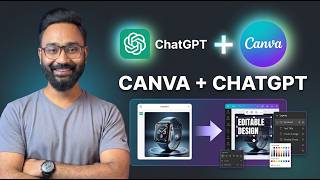
How to Connect Canva with ChatGPT | Create Editable Designs in Seconds
リアクション
2026年06月30日
How to connect Canva with ChatGPT and create editable designs in seconds. You can now connect ChatGPT and Canva together to create high-quality designs. Easily generate images using the Image 2.0 model on ChatGPT and polish them using Canva.
In this complete step-by-step tutorial, I'll show you exactly how to set up the Canva ChatGPT integration, generate professional designs with simple prompts, and edit them instantly inside Canva.
Whether you're a content creator, designer, marketer, business owner, or student, this AI workflow can save hours of manual work and help you create stunning social media posts, presentations, banners, thumbnails, and more.
📌 In this video, you'll learn:
✅ How to connect Canva with ChatGPT
✅ How to enable Canva inside ChatGPT
✅ Create Instagram Carousel using ChatGPT & Canva
✅ Generate fully editable designs in seconds
✅ Edit AI-generated designs inside Canva
✅ Create social media posts, presentations, banners, and more
✅ Create existing images on ChatGPT
✅ Create a banner with ChatGPT and Canva
This integration combines ChatGPT's creativity with Canva's powerful design editor, giving you the best of both worlds. Instead of creating static images, you can generate designs that remain fully editable, making it easier to customize text, colors, images, layouts, and branding.
If you found this tutorial helpful, don't forget to Like, Share, and Subscribe for more AI tutorials, ChatGPT tips, Canva tutorials, Google Gemini guides, Windows tips, and the latest AI tools.
#ChatGPT #Canva #CanvaChatGPT #CanvaAI #ChatGPTTutorial #AITools #GraphicDesign #ContentCreation #DesignTutorial #SocialMediaDesign #OpenAI #Productivity #canvatutorial
Don't miss these videos -
Clean C drive to unlock more speed: https://youtu.be/X2-KNOkcF_c
Make Windows 11 200% Faster: https://youtu.be/8am0IB13Udg
Make Windows 11 Start Menu Look Great: https://youtu.be/KIgc_ZiYffI
Password Protect Folders in Windows 11/10: https://youtu.be/MuB5keJcw_M
Boost CPU Speed: https://youtu.be/ea89hdRpsKs
Make WiFi Run Much Faster: https://youtu.be/eHcZ_kzhgMw
Stay Private on the Internet: https://youtu.be/TPsQYi8PhJE
Join this channel to get access to perks:
https://www.youtube.com/channel/UCMdElTwiU4JrDUkuI_eqPJg/join
Disclaimer:-
Any data, IP addresses, emails, or files shown in the videos are for demonstration purposes only and do not belong to any third party or entity.
Follow on Social Media
Facebook - https://fb.com/iTechFever
Twitter - https://twitter.com/itechfever
Instagram - https://instagram.com/itechfever
My IG - https://instagram.com/sparnidya
Visit - https://www.itechfever.com
In this complete step-by-step tutorial, I'll show you exactly how to set up the Canva ChatGPT integration, generate professional designs with simple prompts, and edit them instantly inside Canva.
Whether you're a content creator, designer, marketer, business owner, or student, this AI workflow can save hours of manual work and help you create stunning social media posts, presentations, banners, thumbnails, and more.
📌 In this video, you'll learn:
✅ How to connect Canva with ChatGPT
✅ How to enable Canva inside ChatGPT
✅ Create Instagram Carousel using ChatGPT & Canva
✅ Generate fully editable designs in seconds
✅ Edit AI-generated designs inside Canva
✅ Create social media posts, presentations, banners, and more
✅ Create existing images on ChatGPT
✅ Create a banner with ChatGPT and Canva
This integration combines ChatGPT's creativity with Canva's powerful design editor, giving you the best of both worlds. Instead of creating static images, you can generate designs that remain fully editable, making it easier to customize text, colors, images, layouts, and branding.
If you found this tutorial helpful, don't forget to Like, Share, and Subscribe for more AI tutorials, ChatGPT tips, Canva tutorials, Google Gemini guides, Windows tips, and the latest AI tools.
#ChatGPT #Canva #CanvaChatGPT #CanvaAI #ChatGPTTutorial #AITools #GraphicDesign #ContentCreation #DesignTutorial #SocialMediaDesign #OpenAI #Productivity #canvatutorial
Don't miss these videos -
Clean C drive to unlock more speed: https://youtu.be/X2-KNOkcF_c
Make Windows 11 200% Faster: https://youtu.be/8am0IB13Udg
Make Windows 11 Start Menu Look Great: https://youtu.be/KIgc_ZiYffI
Password Protect Folders in Windows 11/10: https://youtu.be/MuB5keJcw_M
Boost CPU Speed: https://youtu.be/ea89hdRpsKs
Make WiFi Run Much Faster: https://youtu.be/eHcZ_kzhgMw
Stay Private on the Internet: https://youtu.be/TPsQYi8PhJE
Join this channel to get access to perks:
https://www.youtube.com/channel/UCMdElTwiU4JrDUkuI_eqPJg/join
Disclaimer:-
Any data, IP addresses, emails, or files shown in the videos are for demonstration purposes only and do not belong to any third party or entity.
Follow on Social Media
Facebook - https://fb.com/iTechFever
Twitter - https://twitter.com/itechfever
Instagram - https://instagram.com/itechfever
My IG - https://instagram.com/sparnidya
Visit - https://www.itechfever.com